
Operation & Maintenance
Users can carry out operation and maintenance management in the "O&M" interface, mainly including alarm information and discrete rate analysis.
Alarm Information
Users can check whether there is any abnormality in the operation of the plant devices under the account in the alarm information, and they can also check all the alarm information of the plant devices under the account.
Alarm information processing status classification, including unprocessed information, processed information, restored information, etc., can also be filtered according to the time period; alarm information, the system will assess the level and provide recommendations for processing, the user can be based on the recommended processing of the alarm information for the corresponding processing.
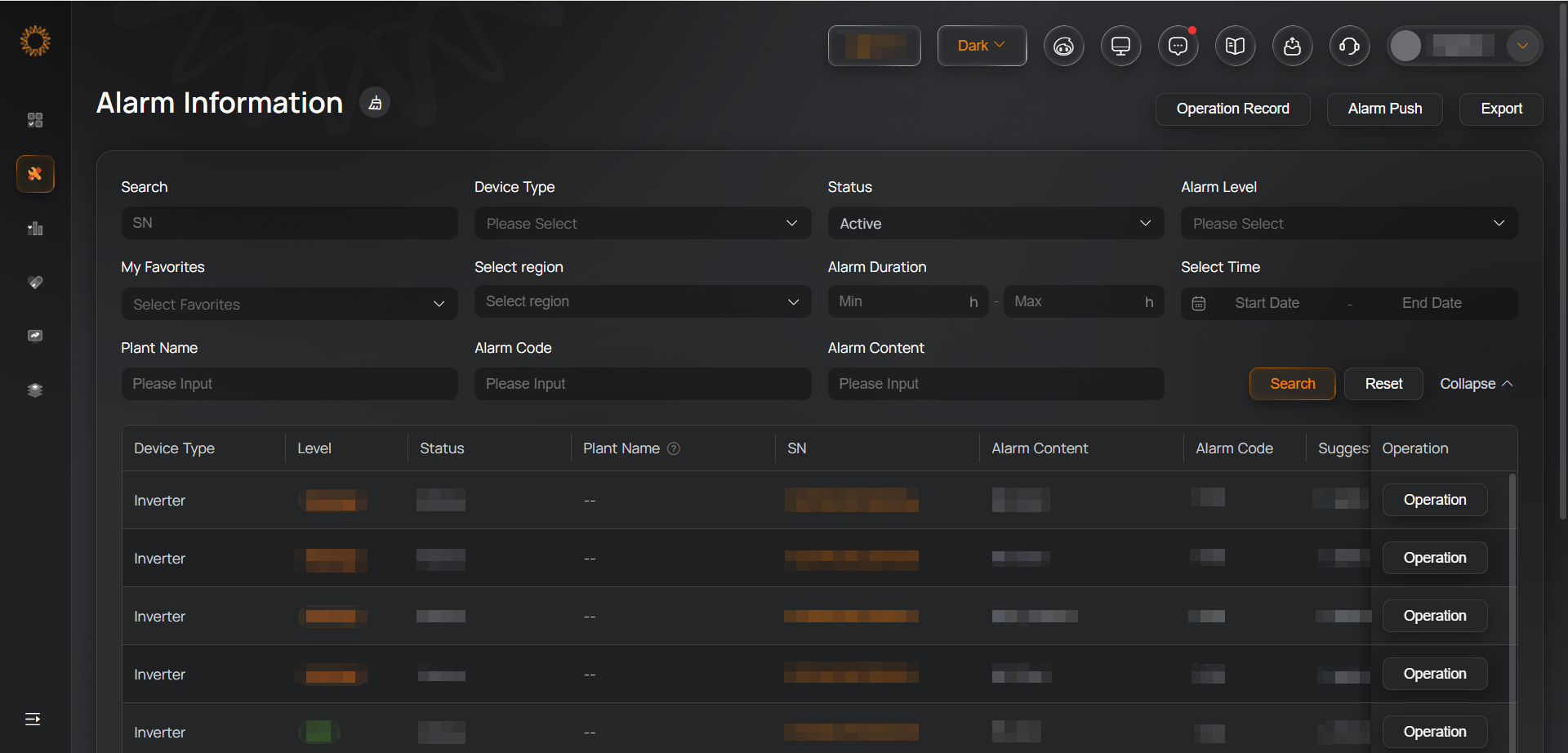
[Search Alarm] Enter the name of the plant to be operated, the SN number of the inverter, or the content of the alarm in the search box at the upper right corner of the page and click "Search" to finish.
[Filter Alarm] You can filter alarm messages by favorites or alarm message status.
[Ignore Alarm] Users can customize whether to ignore the unprocessed information that does not affect the normal use of the device, click on a single alarm message and the system will pop up the alarm details, click "Ignore" to complete the operation.
[Delete Alarm] Users can delete the alarm information by themselves, either by clicking on the alarm details that appear after a single alarm message for deletion, or by clicking on the single alarm message on the right side of the "Operation" option for deletion; users can click on the clear symbols at the back of the alarm information to delete all the information.
[Export Alarm] Users can export alarm information and generate forms.
[Alarm Push Setting] Users can choose to set alarm notification by clicking "Push Setting" in the upper right corner of the interface and selecting "Allow Notification" to turn on the function.
①Push notification: Users can choose to push the degree of urgency of the alarm and the speed of the message notification time according to their own needs.
②Mailbox notification: Users can define the receiving mailbox according to their own needs and choose whether to turn on mailbox notification.
PC IV Curve Diagnosis
The neural algorithm is used to analyze the pattern of string IV curve and realize the full monitoring of string IV curve.
[Operation Premise]
1) The device to be scanned is in the state of normal connection.
2) String information must be correct.
3) It does not support scanning residential inverters with optimizer.
4) Only support scanning single crystal PV module and polycrystalline PV module.
5) Only inverters with this function can be diagnosed after checking the box.
[Hint]
1) It is suggested during 11:00-13:00.
2) It not recommended above 50 pcs at once (about 15 minutes).
3) It will affect power production during the examination (about 5 minutes).
[IV Curve Scanning Operation]
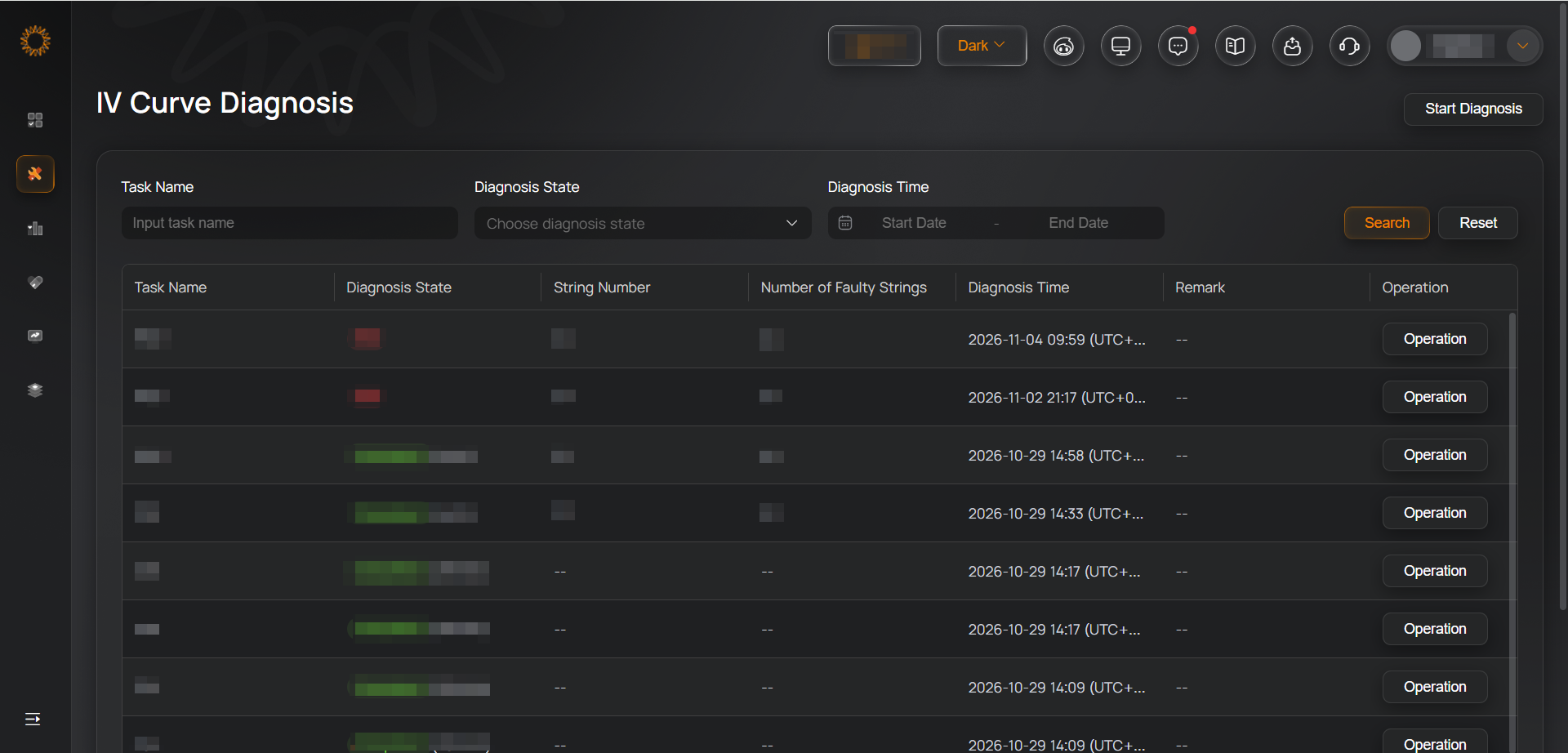
1) Function Location: Click "O&M" - "IV Curve Diagnosis";
2) Select the device to be diagnosed, click OK to start scanning and generating the report.
3) Users can view the current diagnostic progress and records.
Dispersion Rate Analysis
Dispersion rate is an indicator that describes the change of string current, which is used to assess the consistency of the power generation performance of PV strings, and can effectively reflect the health status of plant operation. The smaller the dispersion rate is, the more stable the operation of the plant is, and the better the power generation condition is. On the contrary, it indicates that there may be faulty branch circuits, which may affect the power generation.
[Operation Premise]
1) The time interval for discrete rate calculation is from 10:00 to 14:00 every day, please check the discrete rate analysis result of the plant on that day after 10:00.
2) The number of strings connected to the inverter is greater than or equal to 6.
3) The real-time power of the inverter is greater than 10% of the rated power.
[Hint] If there are some strings not connecting to PV panels, or their connected power is far different from others, it is not recommended to add these strings to the dispersion rate analysis (click on these strings to set).
[Operation]
1) Function location: Click "O&M" – "Dispersion Rate Analysis", and you can also view the dispersion rate curve data in the parameter data of a single device.
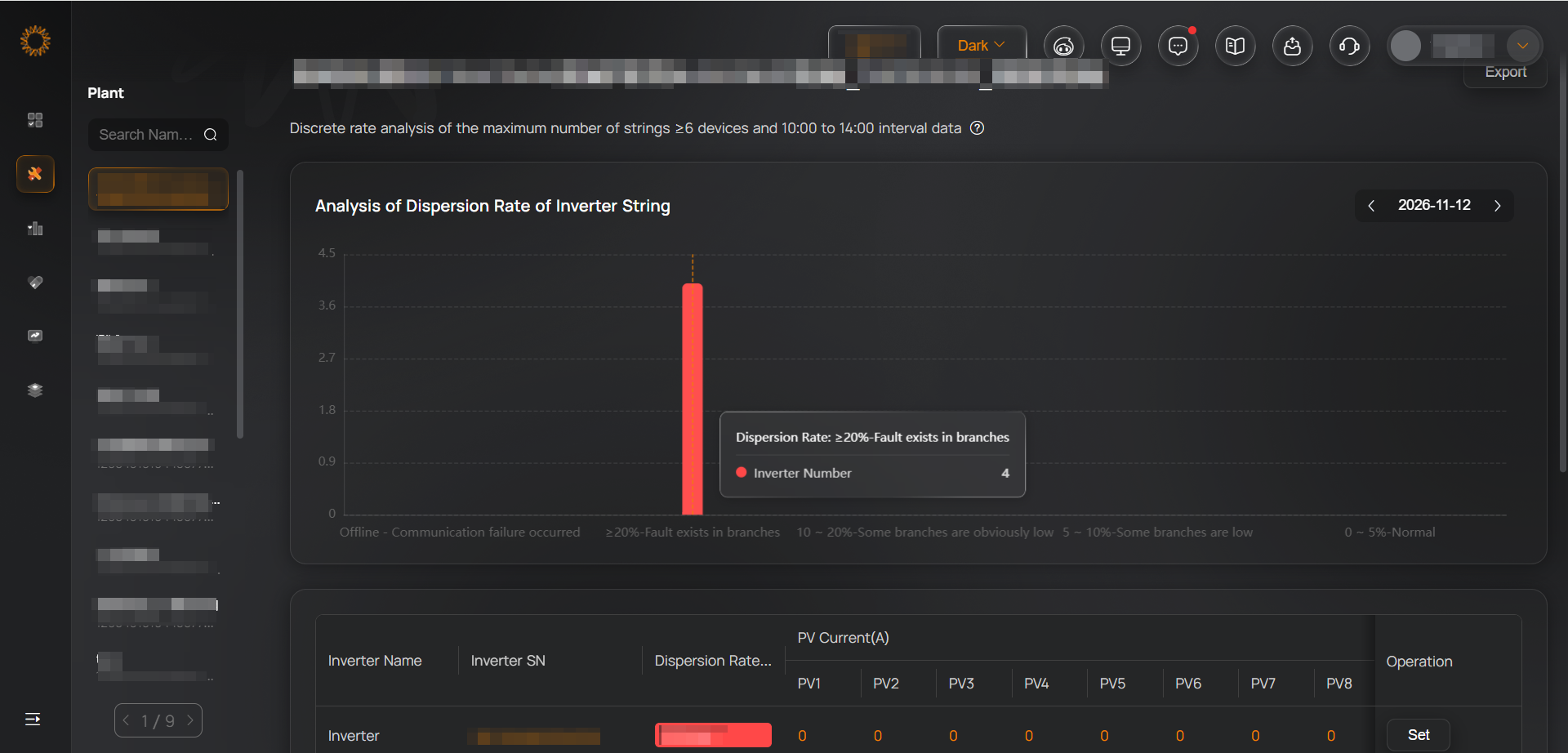
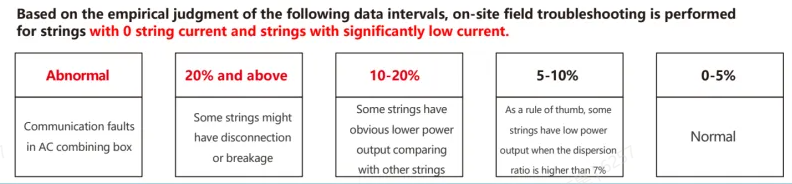
2) You can view the string dispersion rate data of the devices under the plant, and you can also export the dispersion rate data.
3) Strings can be set to not participate in the discrete rate calculation.