Data Monitoring & Visualization
Real-time Monitoring
How to View PV Power?
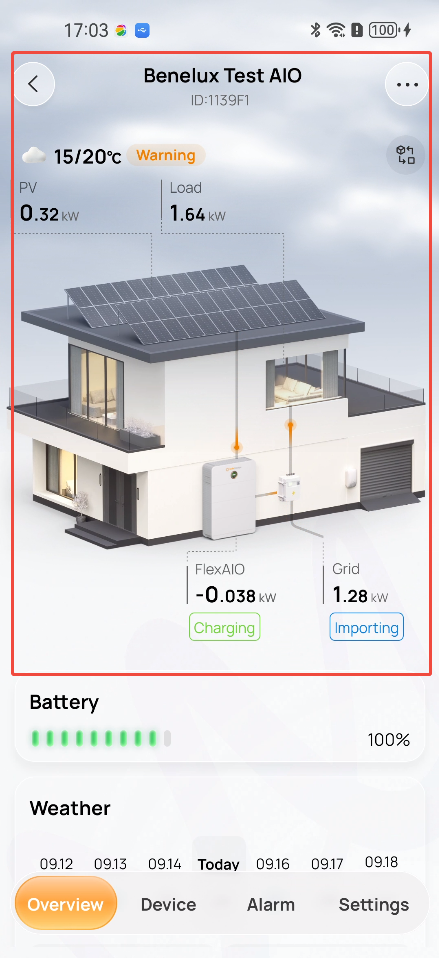
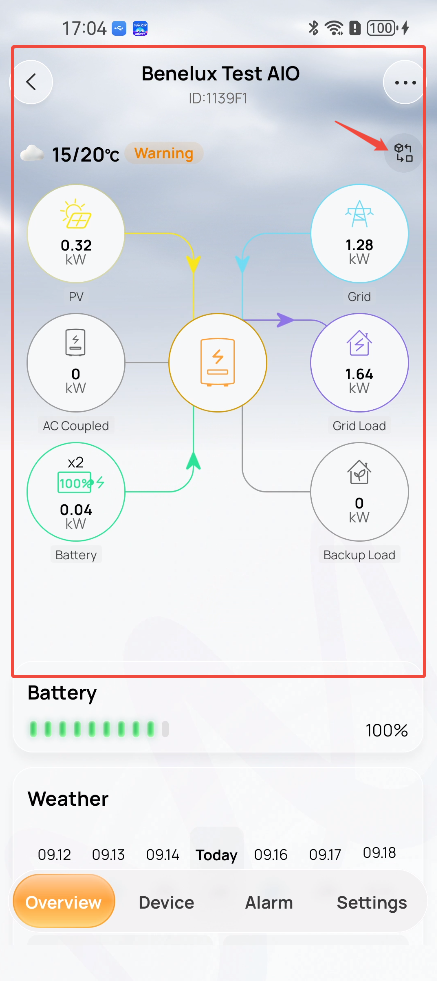
(1) Tap to enter the Plant Details page. You can view the PV system's real-time power output on the 3D display, or switch to the 2D view to check it directly.
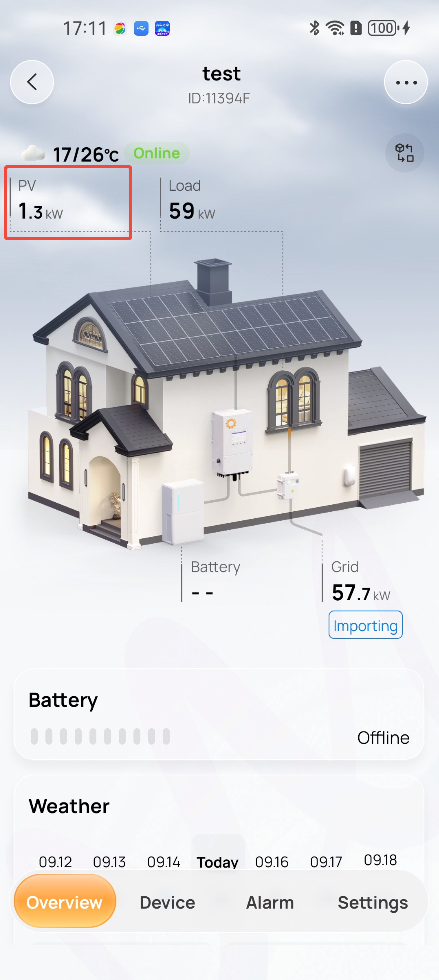
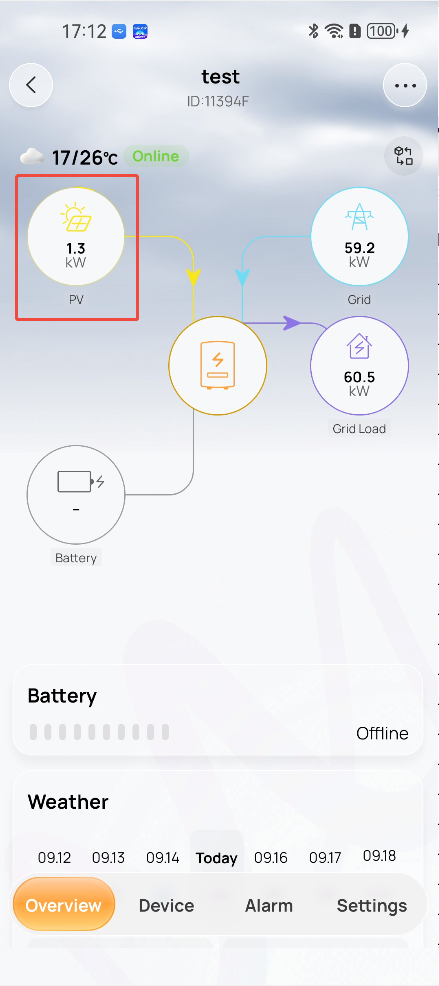
(2) Scroll to the charts section and tap Real-time Chart to view real-time power generation data.
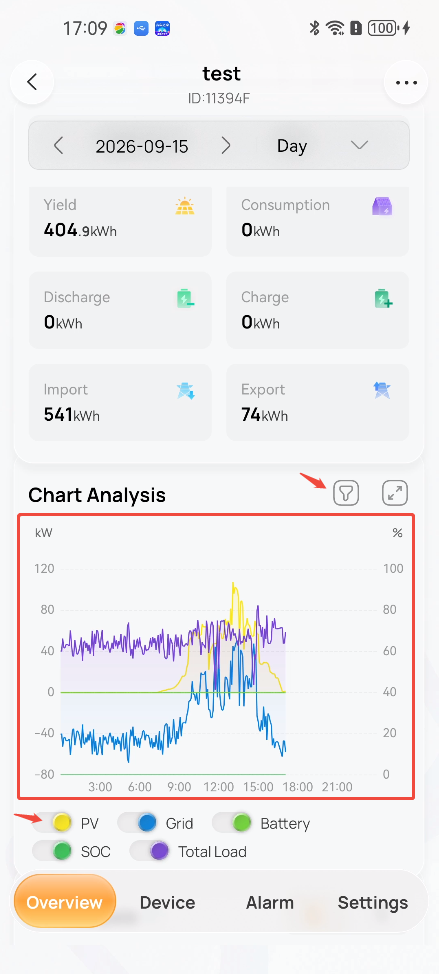
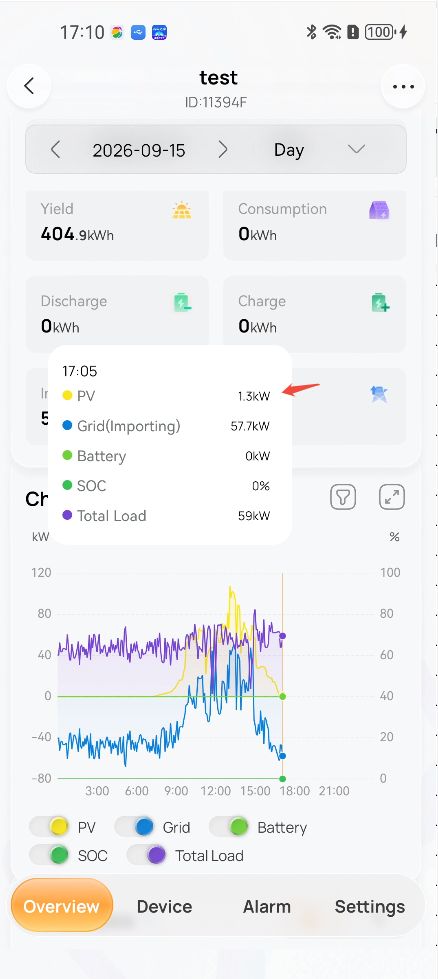
How to View Load Consumption?
(1) Tap to enter the Plant Details page. You can view the PV system's real-time load consumption on the 3D display, or switch to the 2D view to check it directly.
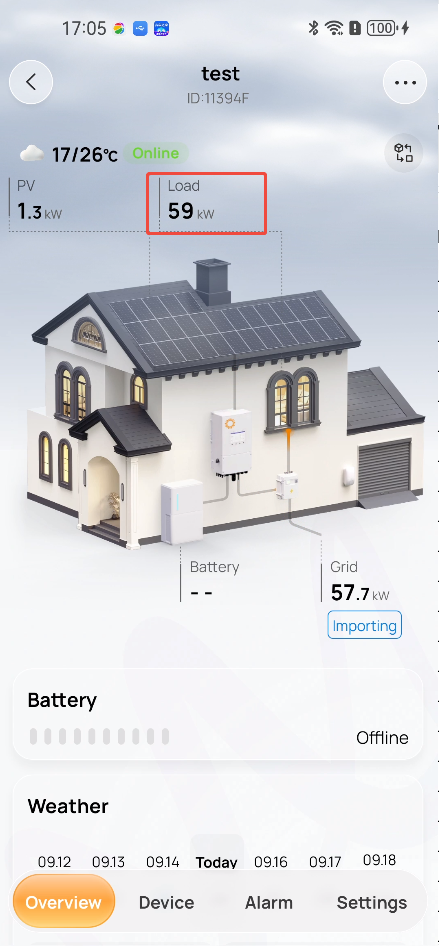
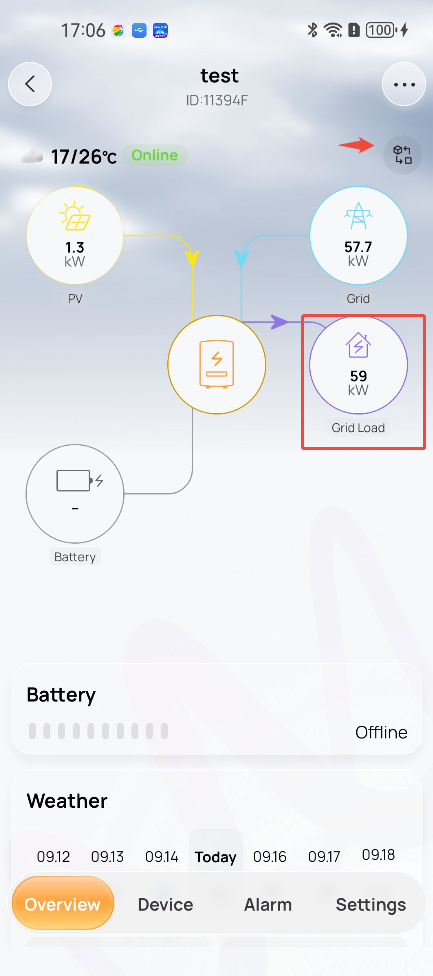
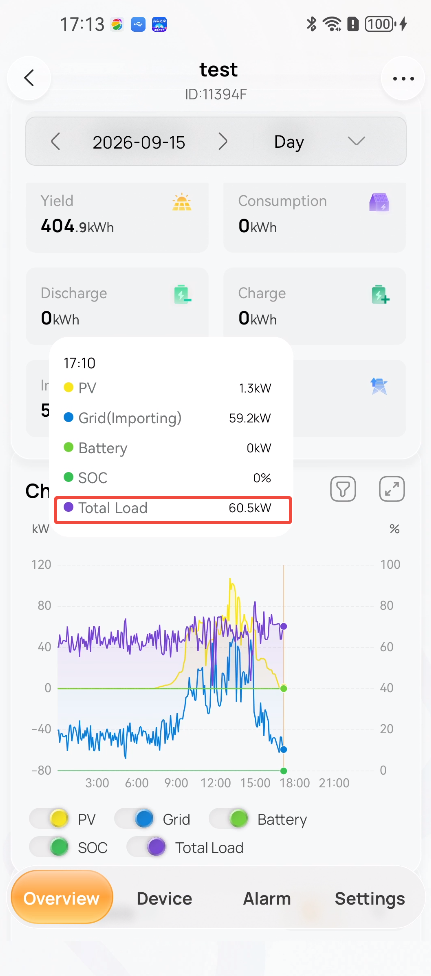
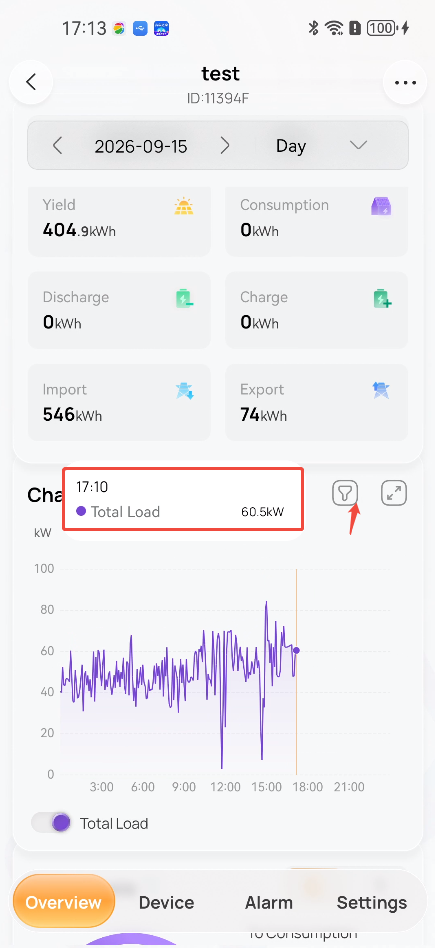
(2) Scroll to the charts section and tap Real-time Chart to view real-time load consumption data.
Power Flow
On the Plant Details page, you can view the Power Flow directly. Tap the button in the top right corner to switch between 3D and 2D views.
Historical Data
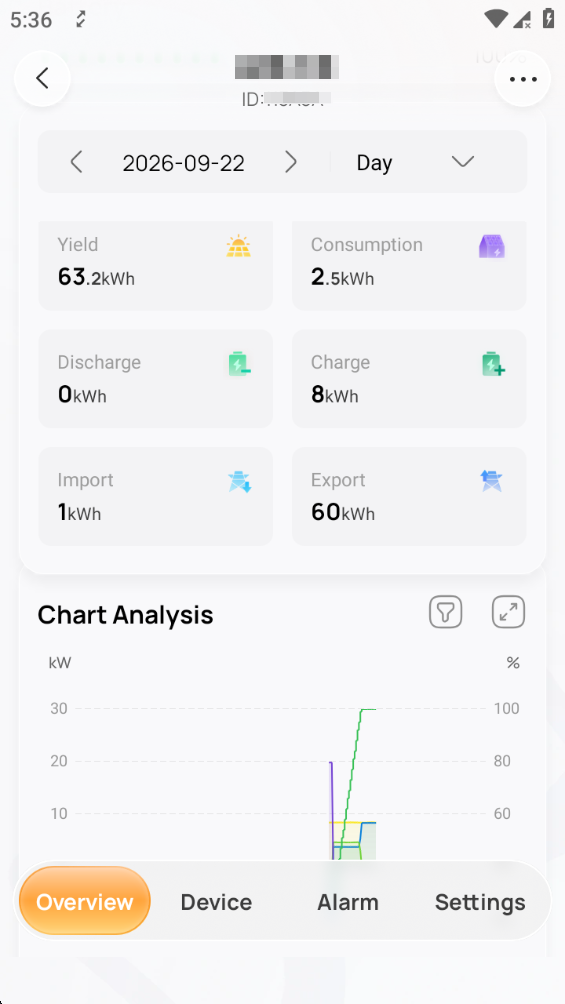
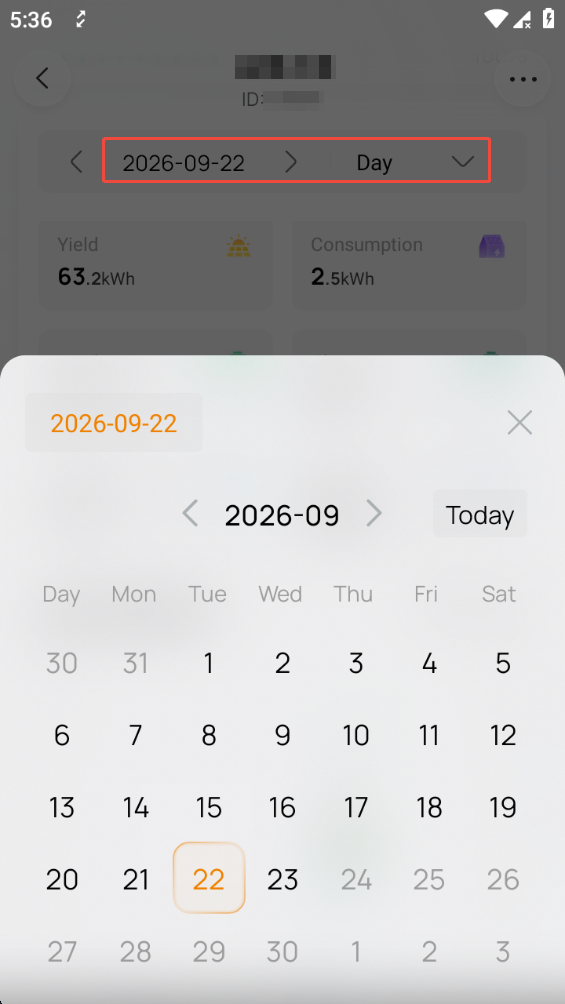
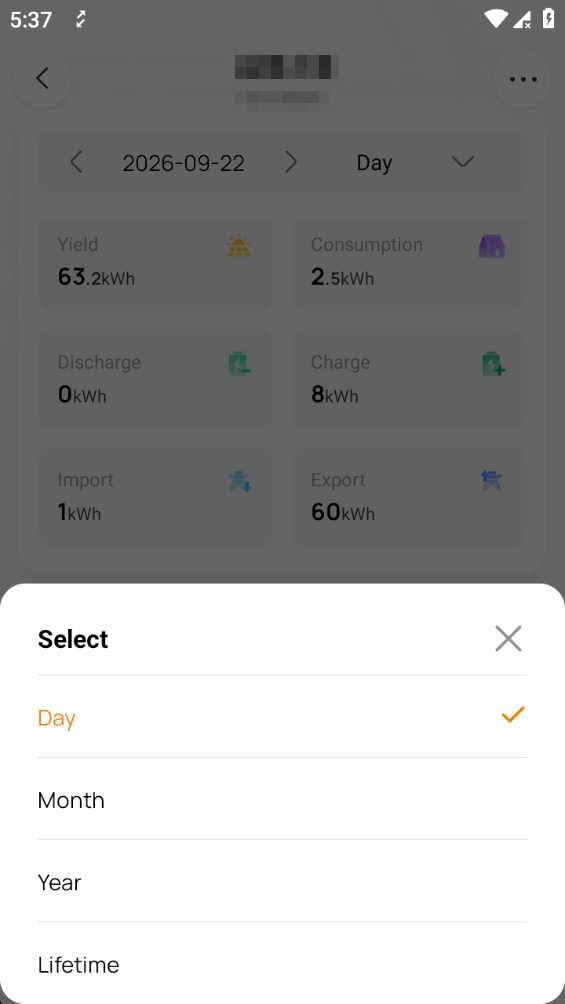
Tap the date selector to view historical data for the PV system, grid, battery, and more by day, month, year, or cumulative total.