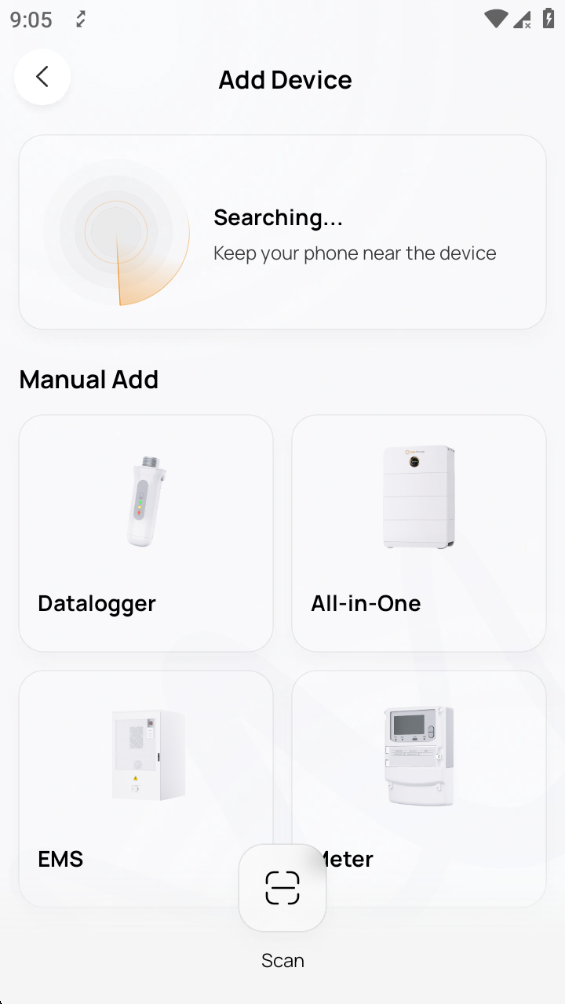
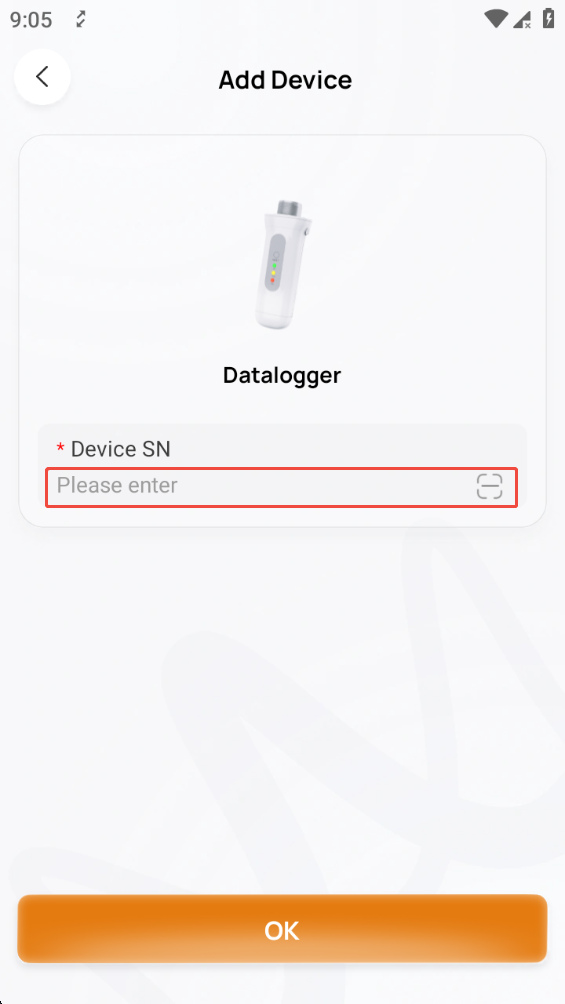
Add Datalogger
Scan to Add
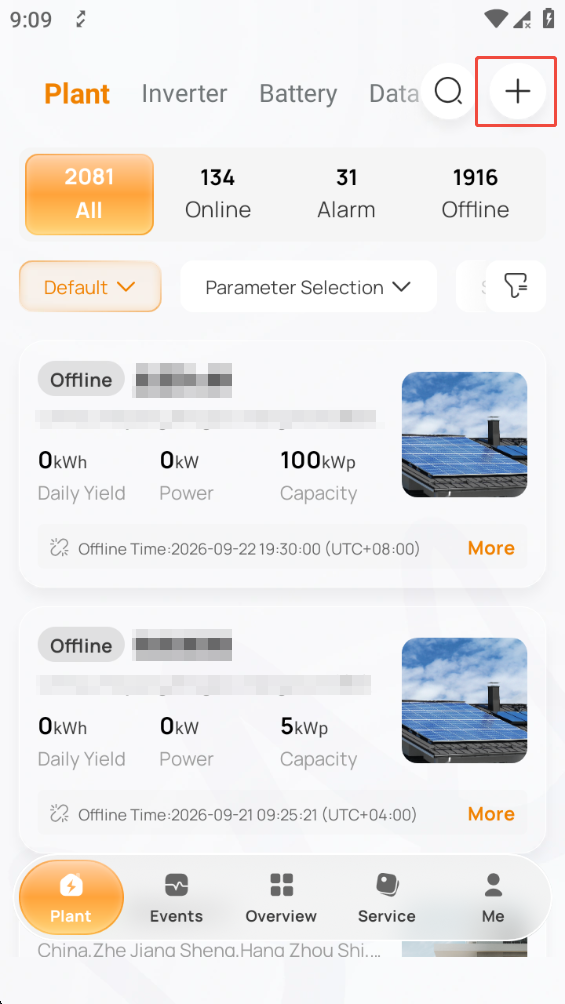
On the app's home screen, tap"+"in the top right corner and align the QR code within the frame to scan. Alternatively, tap Enter Manually and type the device SN to add it.
Add Device to Plant
Once a plant is added, you need to add the datalogger used in the plant to upload its collected data to the platform, enabling plant data management. Follow the steps below:
On the Plant Details page, go to Devices and tap Add Device in the top right corner.
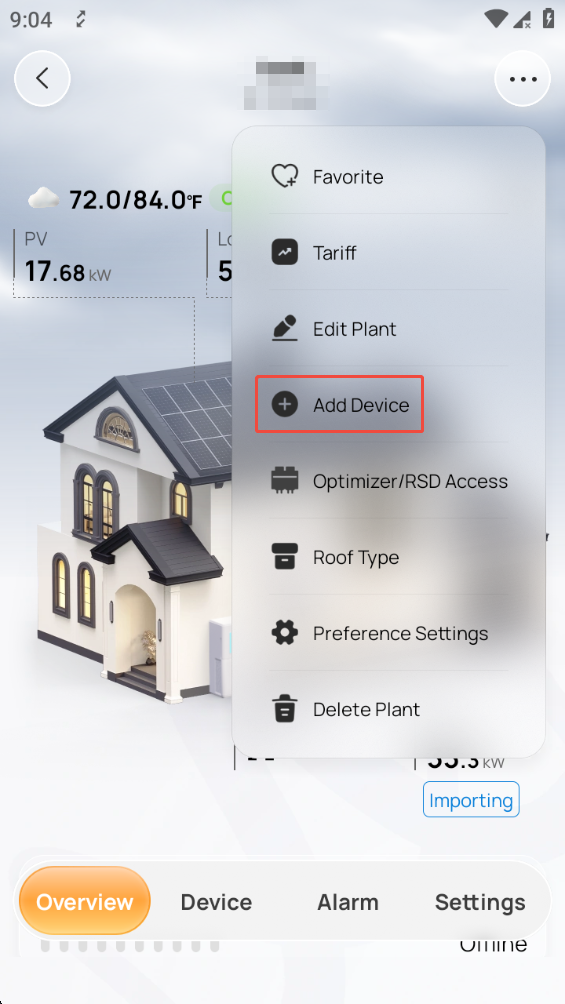
You can add the device to the plant via Bluetooth connection, by manually entering the SN, or by scanning the QR code.